How Do You Plan an Ecommerce Photoshoot That Increases Sales?
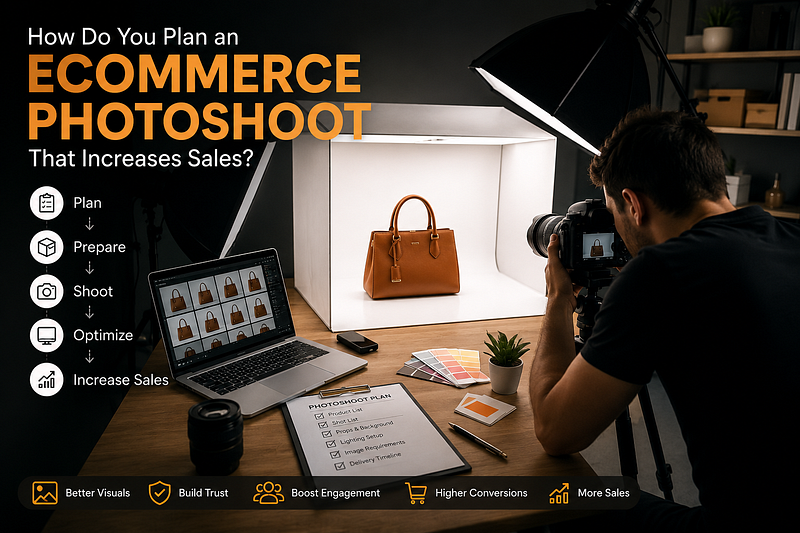
A successful online store depends heavily on high-quality product images. Customers cannot touch or test products before buying, so your photos become the deciding factor. Effective ecommerce photoshoot planning helps brands create professional images that attract attention, build trust, and increase conversions. This guide will help you plan a product photoshoot that drives more sales and delivers better results.
Why Ecommerce Photoshoot Planning Matters
Proper planning ensures every image aligns with your brand and marketing goals. It reduces unnecessary costs, saves time during production, and creates consistent visuals across your website, marketplaces, and social media platforms. A well-planned photoshoot helps customers understand products better and increases their confidence in making a purchase.
Key Benefits:
- Improves product presentation
- Creates a professional brand image
- Reduces reshoots and editing costs
- Increases customer trust
- Helps boost online sales
- Maintains visual consistency
Define Your Ecommerce Photography Goals
Before organizing the shoot, identify what you want to achieve. Different products require different photography styles. Understanding your goals helps determine the type of images, backgrounds, lighting, and props needed. Clear objectives make the entire ecommerce photoshoot planning process more effective and organized.
Questions to Ask:
- Where will the photos be used?
- Who is the target audience?
- Do you need white-background images?
- Are lifestyle photos required?
- Will the images be used for advertisements?
- What emotions should the photos convey?
Read More: Mistakes Brands Make While Booking a Photoshoot (And How to Avoid Them for Better Conversions)
Create a Detailed Photoshoot Planning Checklist
A comprehensive checklist prevents mistakes and keeps the project on schedule. It ensures every product, angle, and requirement is documented before the shoot begins. Having a structured plan improves workflow and helps photographers capture all necessary content efficiently.
Photoshoot Planning Checklist:
- Product inventory list
- Shot list for every product
- Background requirements
- Props and styling materials
- Model requirements (if needed)
- Lighting setup plan
- Brand guidelines
- Image size specifications
- Platform-specific requirements
- Delivery deadlines
Prepare Products Before the Shoot
Product preparation directly impacts the final image quality. Dust, fingerprints, wrinkles, and packaging defects become highly visible in professional photography. Taking time to prepare products ensures cleaner photos and reduces editing work later.
Product Preparation Tips:
- Clean every product thoroughly
- Remove stickers and labels
- Steam clothing products
- Check packaging condition
- Arrange product variants
- Keep backup samples available
Choose the Right Photography Style
The photography style should match your brand identity and customer expectations. Different ecommerce businesses require different visual approaches. Choosing the right style helps communicate product value more effectively and improves customer engagement.
Popular Ecommerce Photography Styles:
- White background photography
- Lifestyle photography
- Flat lay photography
- Ghost mannequin photography
- Creative product photography
- 360-degree product photography
Read More: Studio vs Outdoor Photoshoot: Which Is Better for Your Brand? (2026 Guide)
Plan Product Angles and Shot Types
Customers rely on product images to make buying decisions. Multiple angles help them understand size, design, texture, and functionality. Planning these shots beforehand ensures nothing important gets missed during production.
Essential Product Shots:
- Front view
- Side view
- Back view
- Top view
- Close-up detail shots
- Packaging shots
- Usage demonstration images
- Lifestyle images
Select the Perfect Background and Props
Backgrounds and props can enhance product appeal without distracting from the main subject. They should complement the product and support your brand story. Consistency across product categories helps create a professional online store experience.
Background and Prop Tips:
- Use clean, uncluttered backgrounds
- Match props with brand aesthetics
- Avoid overly distracting elements
- Maintain consistent styling
- Use colors that highlight the product
- Test multiple compositions
Focus on Professional Lighting
Lighting plays a critical role in ecommerce product photography. Poor lighting can distort colors, hide details, and make products appear less attractive. Proper lighting ensures accurate representation and improves customer confidence.
Ecommerce Product Photography Tips:
- Use soft, even lighting
- Minimize harsh shadows
- Maintain color accuracy
- Use reflectors when necessary
- Test lighting before shooting
- Ensure consistency across products
Capture Lifestyle Images for Better Engagement
Lifestyle photography helps customers imagine themselves using the product. These images create emotional connections and often perform better in advertisements and social media campaigns. They add context and demonstrate real-world usage.
Lifestyle Photography Benefits:
- Builds emotional appeal
- Shows product functionality
- Increases customer engagement
- Enhances social media performance
- Improves ad conversion rates
- Strengthens brand storytelling
Optimize Images for Ecommerce Platforms
After the shoot, images should be optimized for fast loading and high visual quality. Large image files can slow websites and negatively impact user experience. Proper optimization improves both SEO and customer satisfaction.
Image Optimization Checklist:
- Compress images without quality loss
- Use SEO-friendly file names
- Add descriptive alt text
- Maintain platform dimensions
- Use web-friendly formats
- Test loading speed
Read More: Why Jewellery Photography is Important for Bangles Brands
Work with Professional Product Photographers
Experienced ecommerce photographers understand platform requirements, lighting techniques, and conversion-focused imagery. Professional expertise often results in higher-quality visuals that generate stronger customer responses and better sales performance.
Advantages of Hiring Professionals:
- Consistent image quality
- Faster project completion
- Advanced equipment access
- Expert styling knowledge
- Better post-production editing
- Improved conversion potential
Track Performance After Publishing
Photography should be treated as an investment. Measuring performance helps determine whether your images are contributing to business goals. Data-driven analysis allows brands to improve future ecommerce photoshoot planning strategies.
Metrics to Monitor:
- Conversion rate
- Click-through rate
- Bounce rate
- Product page engagement
- Add-to-cart rate
- Return rate reduction
Conclusion
Successful ecommerce photoshoot planning is more than simply taking attractive pictures. It involves setting goals, preparing products, creating a detailed shot list, choosing the right photography style, and optimizing images for online platforms. Following this online store photoshoot guide can help brands create compelling visuals that build trust, improve user experience, and ultimately increase sales. A well-executed product photoshoot becomes one of the most valuable assets for any ecommerce business.
Frequently Asked Questions
1. What is ecommerce photoshoot planning?
Ecommerce photoshoot planning is the process of organizing product photography before the shoot. It includes creating shot lists, preparing products, selecting backgrounds, arranging lighting, and defining image requirements to ensure high-quality photos that help increase online sales.
2. Why is ecommerce product photography important for online stores?
Product photography is often the first thing customers notice. High-quality images build trust, showcase product details, improve user experience, and can significantly increase conversion rates for ecommerce businesses.
3. How do I plan a product photoshoot for my ecommerce store?
To plan a product photoshoot, create a product list, define your goals, prepare products, select photography styles, choose backgrounds, plan lighting, and create a detailed shot checklist before the shoot begins.
4. What should be included in a photoshoot planning checklist?
A photoshoot planning checklist should include:
- Product inventory
- Shot list
- Background requirements
- Props and styling items
- Lighting setup
- Brand guidelines
- Image dimensions
- Delivery timeline
5. How many product images should I upload to an ecommerce website?
Most ecommerce experts recommend uploading at least 5–8 images per product, including front, back, side, close-up, packaging, and lifestyle shots to help customers make informed buying decisions.
6. What are the best ecommerce product photography tips for beginners?
Some effective ecommerce product photography tips include:
- Use consistent lighting
- Keep backgrounds clean
- Capture multiple angles
- Focus on product details
- Maintain color accuracy
- Optimize images for web use
7. Should I use lifestyle photos in ecommerce photography?
Yes. Lifestyle photos show products in real-life situations, helping customers visualize usage. These images often improve engagement, social media performance, and conversion rates.
8. How can professional product photography increase sales?
Professional photography improves product presentation, builds customer trust, highlights product features, reduces uncertainty, and encourages shoppers to complete purchases.
9. What image size is best for ecommerce websites?
The ideal image size depends on the platform, but generally images should be high-resolution (around 1500–2500 pixels on the longest side) while remaining optimized for fast website loading.
10. Why should brands hire a professional ecommerce photographer?
A professional ecommerce photographer understands lighting, composition, editing, and platform requirements. Their expertise helps create high-converting product images that strengthen brand credibility and improve sales performance.
Comments
Post a Comment